
PocketChange groups multiple on-chain actions into a single workflow. Depending on what you select, this may include selling tokens, closing unused accounts, and reclaiming locked balances. All actions are shown clearly before you confirm and execute directly from your wallet.
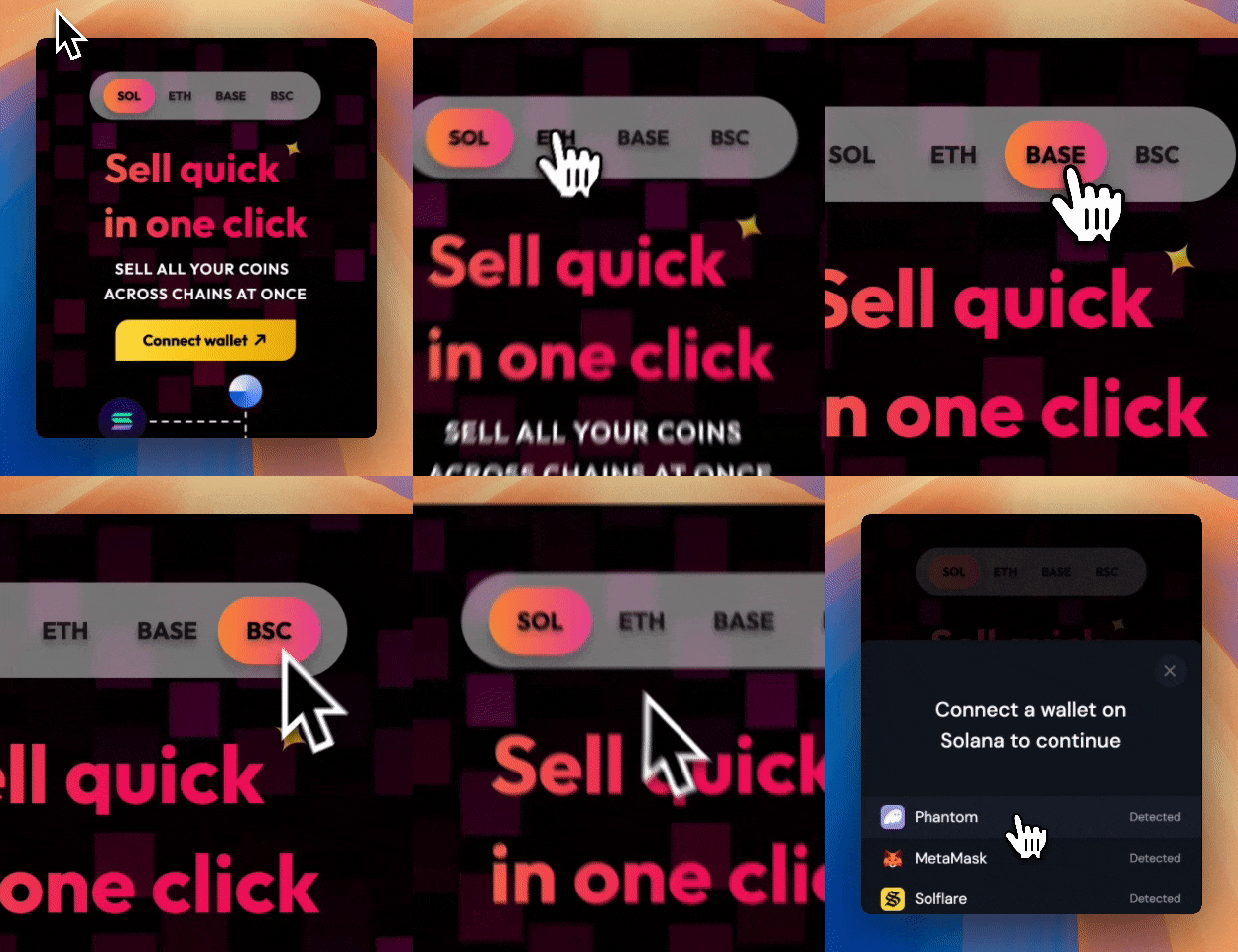
Step 1: Go to PocketChange.gg
Start by selecting the network you want. Once selected, connect your wallet to Pocket Change. Pocket Change reads public wallet data and displays all detected tokens along with their balances and estimated values.
Connecting a wallet does not grant PocketChange control or permissions. No actions can occur until you approve a transaction directly in your wallet.
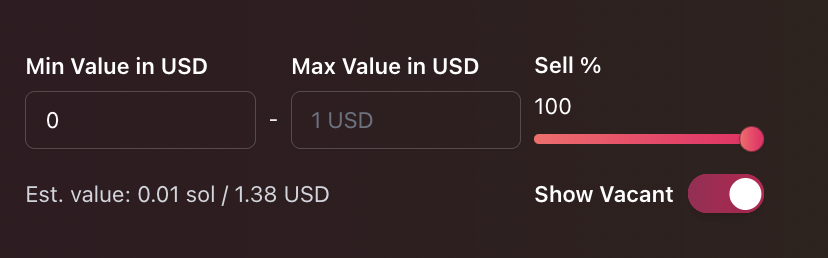
Step 2: Define any filter and sell settings
Pocket Change gives you flexible options for selling tokens in one click depending on how you want to clean up your wallet.
You can:- Sell every detected token in the wallet
- Sell a chosen percentage of every token in your wallet
- Select specific tokens to keep while selling the rest
This allows you to fully clean a wallet or partially liquidate without repetitive manual swaps.
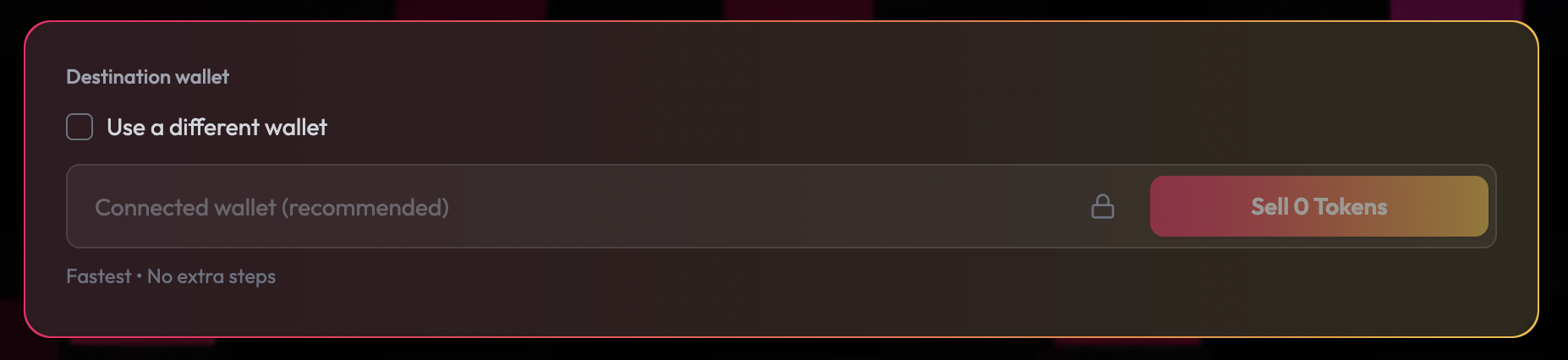
Step 3: (optional) Define a destination address
When selling tokens, you control where the proceeds go.
You can:
- Send proceeds back to the same wallet
- Route proceeds to a different wallet
- Send proceeds to a brand-new wallet for cleanup or security purposes
Pocket Change never forces a destination and never holds funds on your behalf.
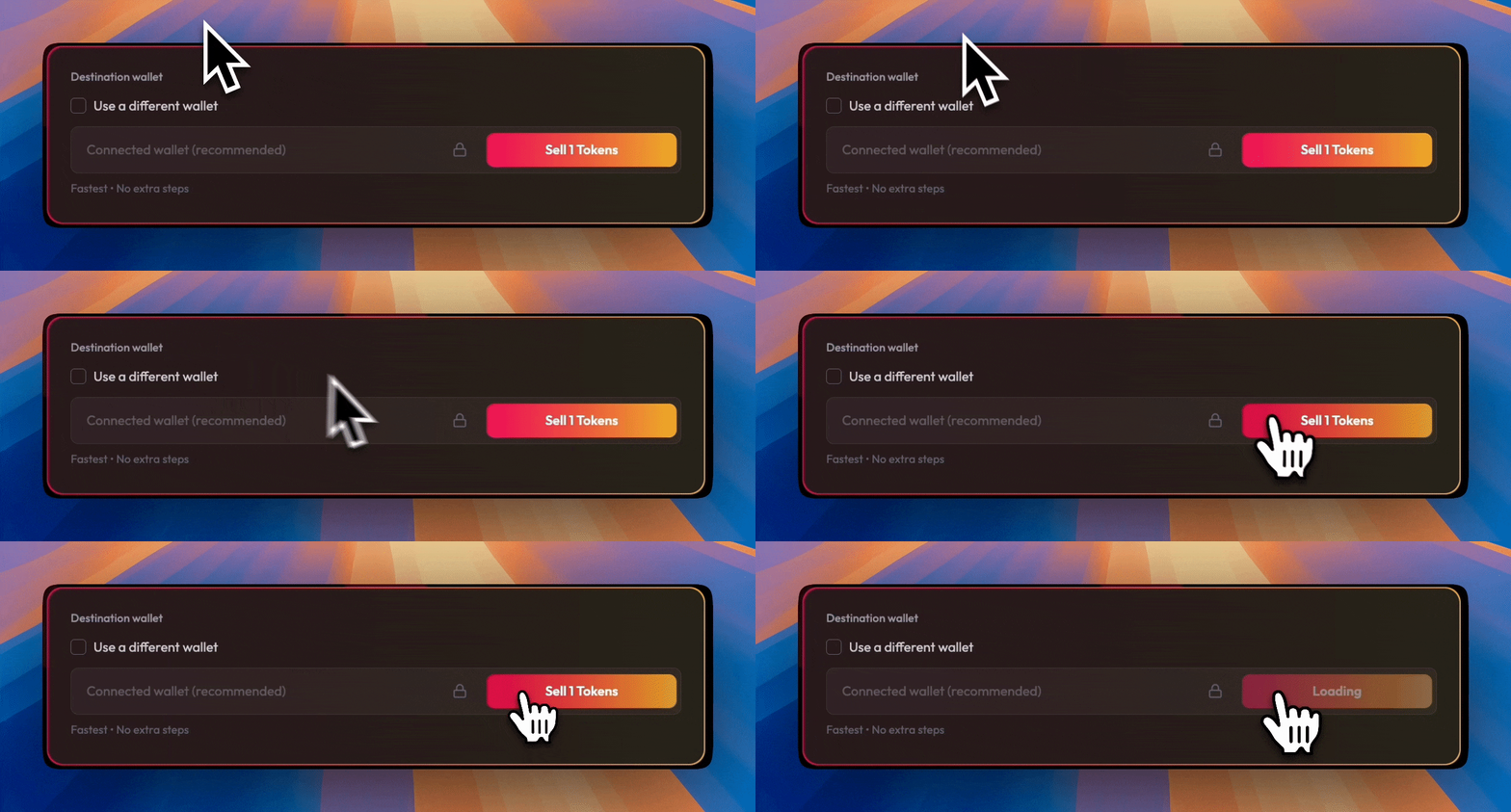
Step 4: Click & sell quick!
Finally just click “Sell x Tokens”, and the site will handle all the selling and sending needed!
Fees and Gas
In supported scenarios, Pocket Change’s Agent feature covers gas fees. This allows you to sell dust and small balances without paying out of pocket.
If gas coverage is not available, standard network fees apply. Any applicable fees are shown clearly before you confirm the transaction.
There are no hidden fees.
Notes
- Only assets you select are included. Tokens without available liquidity or trading routes are skipped automatically and remain in your wallet.
- Vacant accounts are empty or unused token accounts. Closing them can reclaim small locked balances, such as rent on Solana. Only unused accounts are eligible, and nothing is closed without your confirmation.
- You can send proceeds back to the same wallet or to any destination address you choose. PocketChange never enforces a destination.
- The wallet confirmation may include multiple instructions bundled into a single transaction. This is expected and allows all selected actions to execute efficiently.
- Nothing is executed until you approve the transaction directly in your wallet.
- After confirmation, the transaction will either succeed or fail on-chain. If it succeeds, your wallet state updates automatically. If it fails, no funds leave your wallet and you can retry safely.